
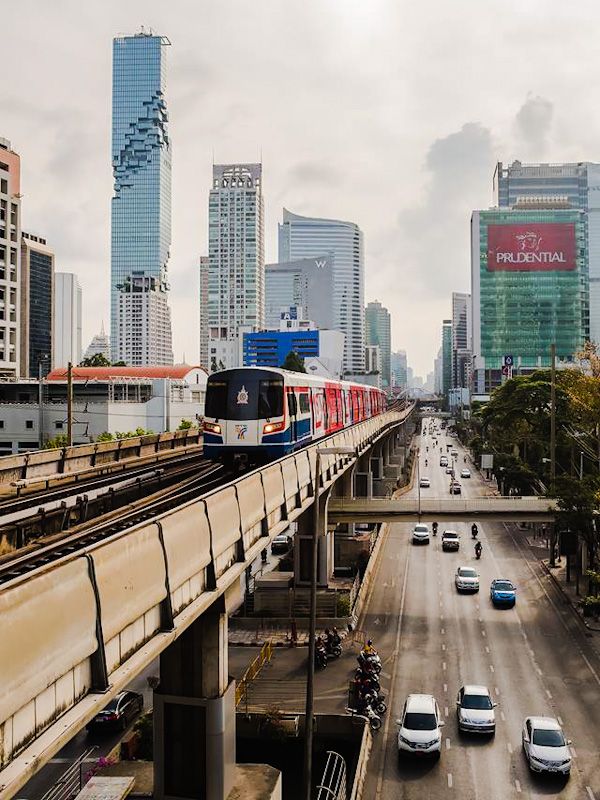
After several years spent in Thailand, there are certain apps we use almost daily that can completely change your experience in Bangkok.
Bangkok is an incredible city, but we have to be honest: on a first trip, it can also seem immense and sometimes a bit complicated.
Between transport, the language barrier, traffic jams, or simply finding the right addresses, a few apps can really make your life easier.
Here are the essential apps I recommend installing before your departure.
Grab: the essential app in Thailand
If there's one app to install before arriving in Bangkok, it's probably Grab.
It's the equivalent of Uber in Thailand.
It allows you to easily book:
- A car with a driver.
- A motorbike taxi.
- A meal delivery.
- Some daily deliveries.
What I particularly appreciate about Grab is the simplicity.
You enter your address, you know the price before you leave, and you avoid negotiations or misunderstandings with some drivers.
In Bangkok, where street names and pronunciation can sometimes complicate communication, this is a huge advantage.
Tip:
During peak hours, Bangkok can be completely gridlocked. If you're travelling alone and are comfortable with it, Grab Bikes can sometimes halve your journey time.
MuvMi: the modern version of the tuk-tuk
MuvMi is an app that's not yet well known by travellers, but one that I really like.
It allows you to book shared electric tuk-tuks in certain areas of Bangkok.
Unlike traditional tourist tuk-tuks where you have to negotiate the price, here everything is indicated directly in the app.
Why use it?
- Fixed price in advance.
- More economical.
- Electric.
- Ideal for short trips.
- Very convenient for reaching a nearby BTS or MRT.
MuvMi can be found in several districts, including Sukhumvit, Siam, and Ari.
It's a practical and more local way to get around.
Bangkok MRT / Bangkok City Metro: Understanding the Transport
Bangkok has an excellent transport network, but initially the different lines can seem complicated.
Between the BTS (elevated train), the MRT (underground train), and the interchanges, a dedicated app can genuinely help.
It allows you to:
- View the lines.
- Prepare an itinerary.
- Find the matches.
- Estimate the travel time.
Tip:
For long distances in Bangkok, I often combine the BTS/MRT with a Grab.
It's generally faster than driving the whole way.
Google Maps: your best friend in Bangkok
It seems obvious, but Google Maps is probably the app I use the most.
In Bangkok, it's used for everything:
- Find a restaurant.
- Check the times.
- Read the reviews.
- Calculate a route.
- Save locations.
Before your trip, I always advise creating a list with:
- Your favourite temples.
- Your coffees.
- Your restaurants.
- Your hotels.
- The markets you want to discover.
Once you're there, you save a huge amount of time.
Yesim: having internet upon arrival
Having internet in Thailand isn't a luxury, it's almost essential.
As soon as you arrive, you will probably use:
- Taxi to take you to your hotel.
- Google Maps for getting around.
- A translation application.
- WhatsApp for communication.
With an eSIM like Yesim, You can activate the internet directly upon arrival without needing to look for a SIM card shop.
It's particularly practical after a long flight when you just want to get out of the airport quickly.
Hungry Hub: Discovering good places in Bangkok
Bangkok is an incredible city for eating.
The problem?
There are so many choices that sometimes you don't know where to turn.
Hungry Hub allows you to book restaurants with special offers.
You can find:
- Buffets.
- Exclusive menus.
- More upmarket restaurants.
- Original culinary experiences.
It's a good app if you want to try out nice restaurants while keeping an eye on your budget.
GoWabi: Discounted massages and spas
It's impossible to talk about Bangkok without mentioning massages.
GoWabi is a very popular app for booking:
- Thai massages.
- Spas.
- Facial treatments.
- Beauty treatments.
What I like about this app is that there are often interesting promotions.
This sometimes allows for the discovery of very beautiful establishments at much more accessible prices.
Google Translate: more useful than you think
In the tourist districts of Bangkok, many people understand English.
But as soon as you venture a bit off the beaten track, Google Translate becomes very handy.
Just think about downloading the Thai language for offline use before you leave.
This can help with:
- Read a menu.
- Expliquer une adresse.
- Communicate with a driver.
- Ask a simple question.
TrueMoney: pay more easily every day
If you stay in Thailand for longer, you'll soon hear about TrueMoney.
It is an e-wallet widely used by Thai people to make payments directly from their phones.
It can notably be used in many partner shops, restaurants or services.
For a simple trip of a few days, it’s not necessarily essential. But for a longer stay, a digital nomad, or someone who returns to Thailand regularly, it can become very practical.
It's also interesting for understanding how much mobile payment is part of everyday life in Thailand today.
LINE: the app everyone uses in Thailand
In Europe, we are used to using WhatsApp.
In Thailand, the must-have app is LINE.
It is used everywhere:
- Hotels
- Restaurants
- Chauffeurs
- Local agencies
- Homeowners
A lot of establishments even prefer to communicate via LINE rather than email.
Advice
Install it before your trip, especially if you plan a longer stay or wish to book directly with small local establishments.
12Go: organise your trips easily
Travelling in Thailand often involves combining multiple modes of transport:
- Bus
- Train
- Ferry
- Van
- Private transfer
12Go allows you to compare schedules and easily book your journeys.
I particularly use it to organise travel between regions or islands.
It's useful for journeys such as:
- Bangkok → Chiang Mai
- Bangkok → Koh Kood
- Surat Thani → Koh Samui / Koh Phangan / Koh Tao
This avoids having to search several different companies.
Klook: Tourist Activities and Tickets
Klook is an interesting app for booking certain experiences:
- Excursions
- Tickets
- Attractions
- Transfers
- Activities
I would still advise comparing with local agencies, but it can be practical when you want to quickly organise certain tours.
A little tip before you leave
A successful trip to Thailand often begins before you even arrive.
Install your apps, prepare your first addresses, and organise the first few days to avoid stress after your flight.
Bangkok is a huge and fascinating city, but it can also be a little overwhelming at first.
It is for this reason that we created our Complete guide from Bangkok: to help you discover the city differently, with our favourite neighbourhoods, our best addresses, our practical tips and the mistakes to avoid after several years spent in Thailand.
Here you'll find everything you need to prepare your stay and make the most of your first few days in the capital.
FAQ
Yes, you can use Grab from Bangkok Airport.
Yes, Grab operates from the main airports in Bangkok. Just follow the signs to the pick-up area.
Is internet absolutely essential in Bangkok?
I highly recommend it. It makes travelling and booking so much simpler.
Do the apps work in English?
Yes, most major applications offer an English interface.
Can one visit Bangkok without these apps?
Yes, of course, but they save a lot of time and avoid several difficulties during a first stay.

